
One tap from the room to the right team.
Guests scan a code in their room and send a request to housekeeping, the front desk or maintenance. It appears on your live dashboard the moment it's sent.
No app to install · No account to create
How can we help?
Choose a request
- No accountGuests never sign up or log in.
- No appIt opens in the phone's own browser.
- Live queueRequests reach the dashboard the moment they are sent.
- Simple to useA short list for guests, one clear queue for the team.
What changes
Faster for guests. Calmer for your team.
Fewer calls to the desk
Routine requests skip the switchboard and go straight to the team that owns them.
Every request knows its room
One tag per room means no typing, no mix-ups and no "which room was that?".
One live queue
Open, in progress and resolved, visible to the whole team the moment it changes.
Service you can measure
Time to assign and resolve, and request volume by department, from the first request.
Why Wado
The phone call nobody wants to make.
Every hotel stay is full of small requests. Today each one costs a call, a wait on hold, a sticky note and a hope that it reached the right person.
Without Wado
- Guests hunt for the right extension, or give up
- The front desk becomes a switchboard
- Requests live on paper, radios and memory
- No idea how long anything actually takes
With Wado
- One scan in the room, in English or Spanish
- Each request lands with the right department
- A shared live queue with urgency and status
- Response times you can measure and improve
The guest experience
A moment of service, not a phone call.
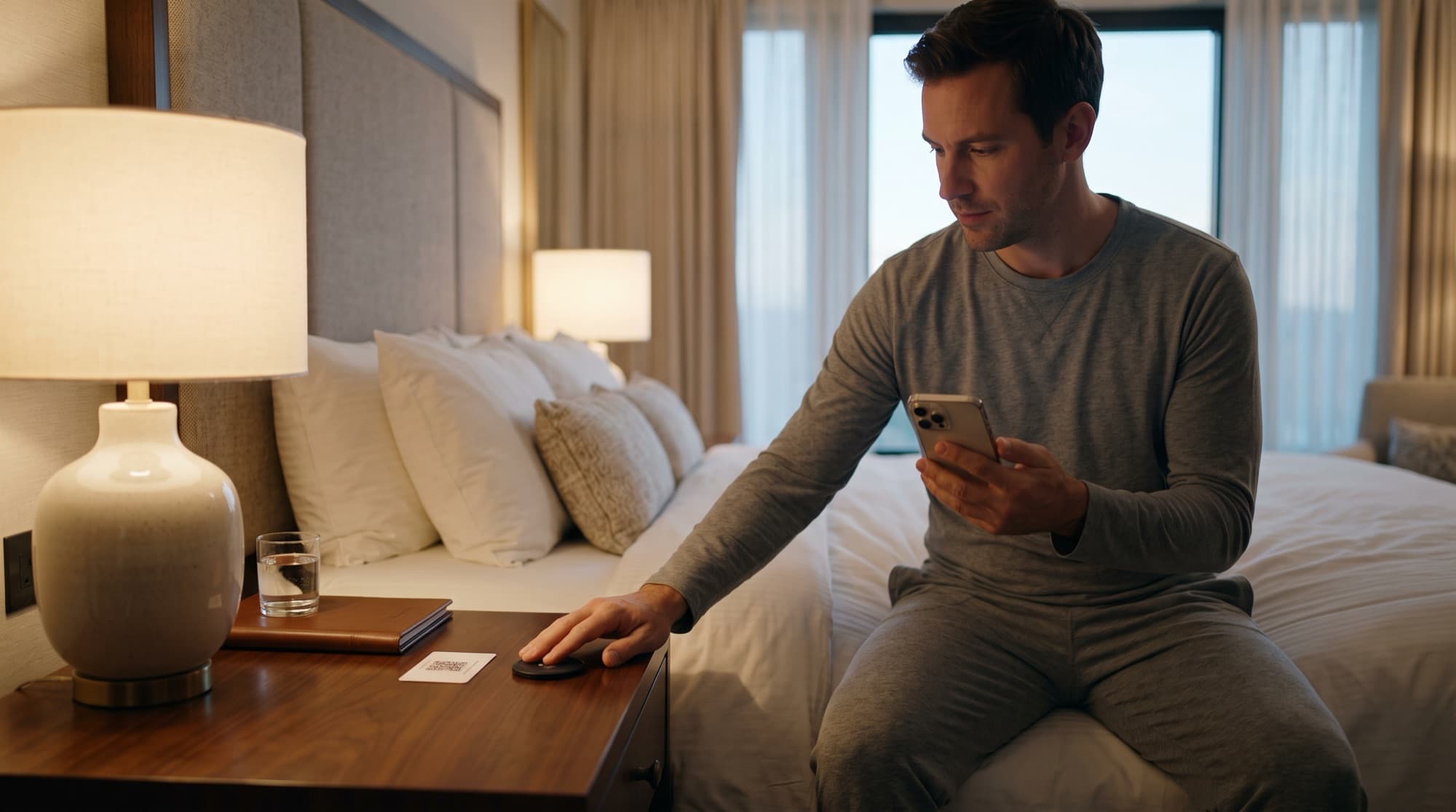
Your guest never leaves the sofa. They tap, choose and relax while the right team is already on its way.
- 01
Tap or scan
Each room has its own QR code and can have an NFC tag. Guests scan the code with the camera or hold their phone near the tag.
- 02
Choose a request
A clean page opens in the browser. Guests pick what they need — towels, a repair, a late checkout — in a few taps.
- 03
Your team responds
The request lands on the hotel's live dashboard with the room, department, urgency and time. An administrator assigns it and updates the status as the work moves.
Built for every department
Requests go where they belong.
Housekeeping shouldn't triage plumbing and maintenance shouldn't field pillow requests. In Wado every service belongs to a department, so each request shows who owns it.
Housekeeping
Towels, linens, amenities, turndown and room cleaning.
- Fresh towels
- Extra pillows
- Room cleaning
Front desk
Late checkout, wake-up calls, luggage and anything that needs a human.
- Late checkout
- Wake-up call
- Luggage help
Maintenance
Air conditioning, plumbing, lighting and electronics — reported with the room already attached.
- No hot water
- TV not working
- Noisy A/C
The team's side
A dispatch board your team will actually use.
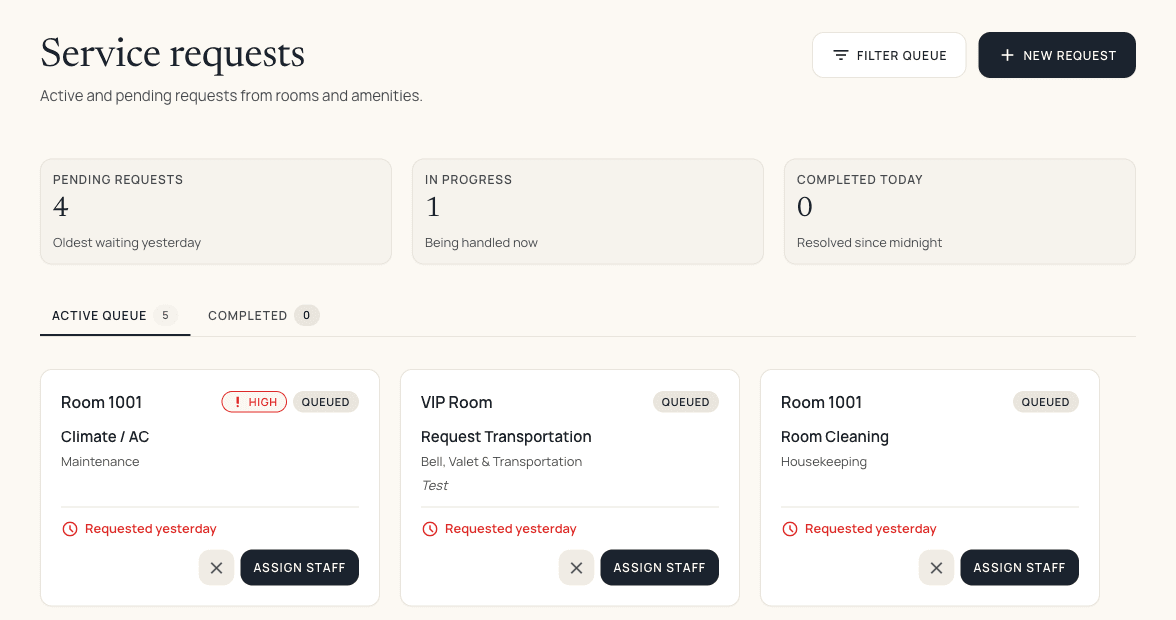
Requests land in one live queue, sorted so the urgent ones come first. Assign, follow up and close the loop from any screen.
- Live by defaultNew requests appear the moment they are sent.
- Urgent firstHigh-priority requests rise to the top of the queue.
- Analytics includedSee where guests wait longest, and fix it.
Everything in one place
A calmer way to run guest service.
Practical tools that fit how hotel teams already work.
Room-level QR & NFC
One code per room means every request arrives with the room attached. No typing, no mistakes.
Department ownership
Every service belongs to a department, and a request can only be assigned to that department's staff.
Live dispatch board
See every open, in-progress and resolved request update live, in any browser.
Urgency & status
Mark which services are urgent, assign requests, and move them from open to resolved.
Operational analytics
Track request volume and time to assign and resolve, then spot the bottlenecks before guests do.
English and Spanish
The guest page follows the phone's language, in English or Spanish.
Who it helps
Better days for everyone under the roof.
Guests
Ask for anything in seconds, in English or Spanish, without leaving the room or picking up a phone.
Front desk
Fewer calls, fewer interruptions. More time to look after the people standing in front of you.
Floor teams
Your administrators assign each request to a named person, with the room and details attached.
General managers
Real numbers on time to resolve and request volume, so service quality becomes something you can manage.
Questions
Good questions, short answers.
Do guests need to download an app?
No. Guests tap the NFC tag or scan the QR code and the request page opens in their phone's browser. There is nothing to install and no account to create.
How do guests send a request?
They tap their phone on the tag in the room, or scan the QR code with the camera. A page opens where they choose a request — such as fresh towels, a repair or a late checkout — and send it in a few taps.
How do staff see requests?
Hotel administrators see requests on a live dashboard, labelled with the room or amenity, department, urgency and status. They assign each one to a member of the right department and move it from open to in progress to resolved. Staff who have a login see only their own requests in the staff app.
Do you support restaurants or room-service ordering?
Wado for hotels focuses on room service requests: housekeeping, front desk and maintenance. It does not include menus or food ordering.
Which languages does the guest page support?
English and Spanish. The guest page follows the phone's language setting.
What does the analytics view show?
Request volume, time to assign and time to resolve, by period, department, room or amenity and staff workload, so you can see where guests wait longest.
Give every room a direct line to your team.
Wado welcomes new hotels by invitation. Tell us about your property and we'll take it from there.